API Documentation
Convert any image to ASCII art with a single HTTP request.
Free, no API key required.
Endpoints
/api/convertImage → ASCII art (text, html, svg, json, animated)
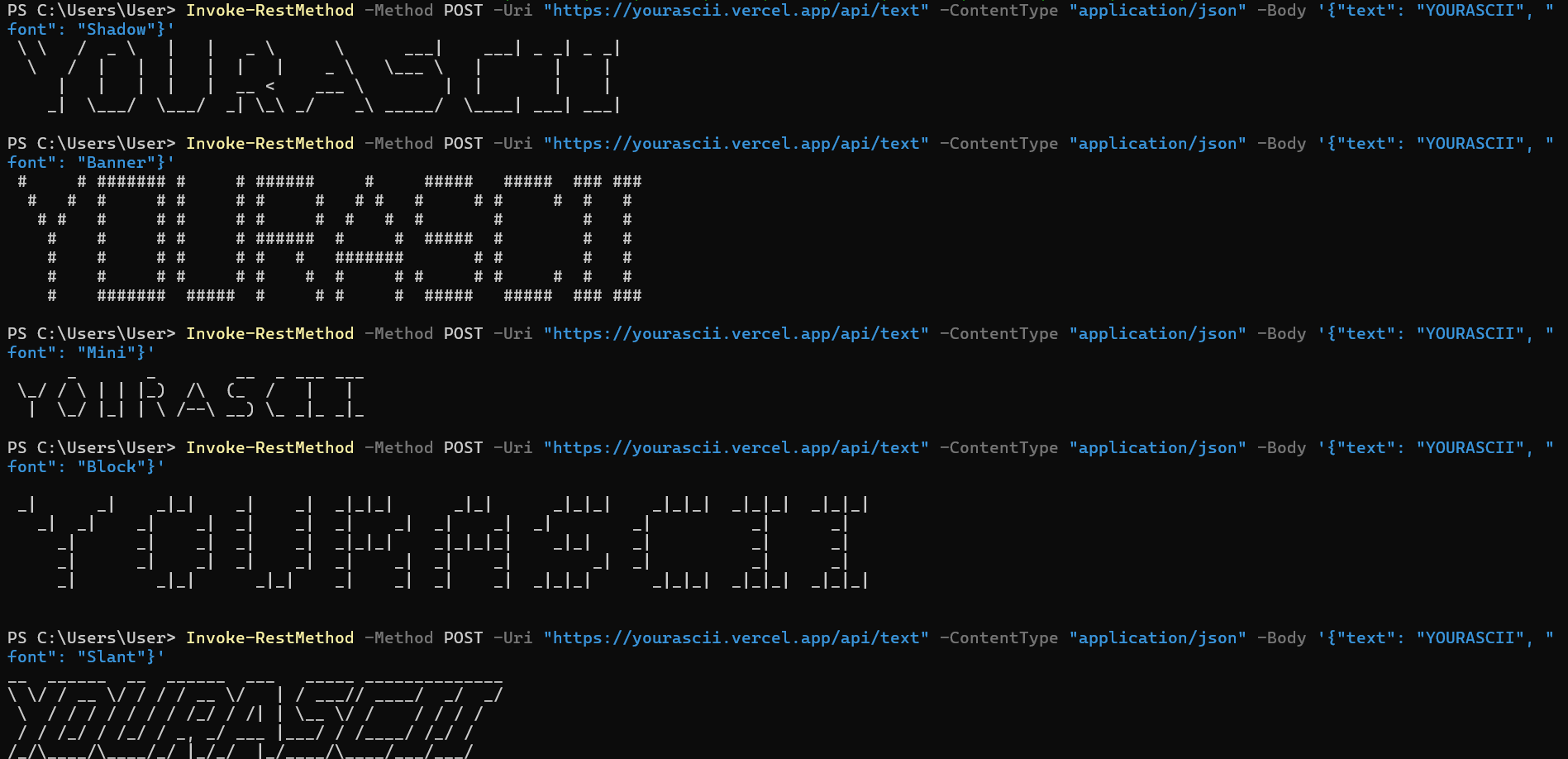
/api/textText → ASCII art (FIGlet fonts)
/api/convertReturns usage info, parameters, limits, and examples (JSON)
/api/textReturns usage info, available fonts, and examples (JSON)
Base URL: https://yourascii.vercel.app
Open any GET endpoint in your browser to see all available options.
CLI Tool
Use yourascii directly from the terminal. No curl syntax needed.
Install
curl -O https://yourascii.vercel.app/cli.js
Usage
# Show all commands and options
node cli.js --help

# Text to ASCII
node cli.js text "HELLO"
node cli.js text "GG" --font Doom
node cli.js text "WOW" --font Big --format html -o banner.html

# Image to ASCII
node cli.js convert photo.png
node cli.js convert photo.png --resolution 100 --colorMode colored
node cli.js convert photo.png --format svg -o output.svg
Requires: Node.js 18+ (with built-in fetch)
Available fonts: Standard, Banner, Big, Block, Doom, Lean, Mini, Script, Shadow, Slant, Small, Speed
Limits & Security
| Limit | Value | What happens |
|---|---|---|
| Rate Limit | 30 req/min per IP | 429 with Retry-After header |
| File Size | 5 MB max | 413 Payload Too Large |
| Resolution | 10 – 300 columns | Values outside range are clamped |
| Text Length | 100 chars max | Silently truncated |
| URL Fetch Timeout | 10 seconds | 500 if remote server too slow |
Security
- SSRF Protection — Private IPs, localhost, and cloud metadata endpoints are blocked when using URL input.
- Protocol Restriction — Only
http://andhttps://URLs are accepted. - Input Validation — All parameters are validated and sanitized. Invalid values fall back to safe defaults.
- No Authentication — The API is free and open. No API key needed.
- CORS — All origins allowed (
Access-Control-Allow-Origin: *).
Resolution Warning
We recommend keeping resolution at 120 or below for best results. Values above 150 generate huge outputs that may cause slow rendering or timeouts — especially with html, svg, and animated formats.
Sweet spot: 60–100 for most images.
/api/convert — Parameters
Two ways to send images:
File Upload
Content-Type: multipart/form-data
Send an image file as the image field.
Image URL
Content-Type: application/json
Send {"url": "https://..."} in the body.
| Param | Type | Default | Description |
|---|---|---|---|
resolution | number | 80 | Columns (10–300). Higher = more detail. |
colorMode | string | mono | mono | colored | matrix |
background | string | dark | dark | light |
inverted | boolean | false | Invert the character brightness. |
format | string | text | text | html | svg | animated | json |
/api/text — Parameters
Convert text into large ASCII banners using FIGlet fonts. Send as application/json.
| Param | Type | Default | Description |
|---|---|---|---|
text | string | — | Text to convert (required, max 100 chars) |
font | string | Standard | FIGlet font name (see list below) |
format | string | text | text | html | json |
color | string | #fff | CSS color for HTML output |
Available Fonts:
Standard, Banner, Big, Block, Doom, Lean, Mini, Script, Shadow, Slant, Small, Speed
Response Formats
textRaw ASCII art as plain text.
text/plain
htmlFull-page HTML with colored spans.
text/html
svgScalable vector graphic. Great for logos.
image/svg+xml
animatedLine-by-line typewriter reveal.
text/html
json{ "text": "...",
"meta": { "cols": 80, "rows": 48 } }application/json
Code Examples
cURL — File Upload
curl -X POST https://yourascii.vercel.app/api/convert \
  -F "image=@photo.png" \
  -F "resolution=100" \
  -F "colorMode=mono"
cURL — Image URL (colored HTML)
curl -X POST https://yourascii.vercel.app/api/convert \
  -H "Content-Type: application/json" \
  -d '{"url": "https://i.imgur.com/your-image.jpg", "resolution": 80, "colorMode": "colored", "format": "html"}' \
  -o output.html
cURL — Text to ASCII
curl -X POST https://yourascii.vercel.app/api/text \
  -H "Content-Type: application/json" \
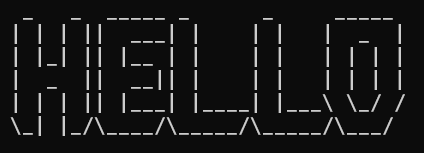
  -d '{"text": "HELLO", "font": "Doom"}'
JavaScript (fetch)
const form = new FormData();
form.append("image", fileInput.files[0]);
form.append("resolution", "100");

const res = await fetch("https://yourascii.vercel.app/api/convert", {
  method: "POST",
  body: form,
});
const asciiText = await res.text();
console.log(asciiText);
Python (requests)
import requests

with open("photo.png", "rb") as f:
    r = requests.post(
        "https://yourascii.vercel.app/api/convert",
        files={"image": f},
        data={"resolution": "100", "colorMode": "colored", "format": "json"},
    )
print(r.json())
SVG Output
curl -X POST https://yourascii.vercel.app/api/convert \
  -F "image=@photo.png" \
  -F "format=svg" -o output.svg
Animated HTML
curl -X POST https://yourascii.vercel.app/api/convert \
  -F "image=@photo.png" \
  -F "format=animated" -o animated.html
Use Cases
Real-world ways developers use the yourascii API:
Website — Greet users with ASCII art
<!-- Add this to any HTML page -->
<input id="name" placeholder="Your name..." />
<button onclick="greet()">Generate</button>
<pre id="result" style="font-family:monospace"></pre>

<script>
async function greet() {
  const name = document.getElementById("name").value;
  const res = await fetch("https://yourascii.vercel.app/api/text", {
    method: "POST",
    headers: { "Content-Type": "application/json" },
    body: JSON.stringify({ text: "Hello " + name, font: "Doom" }),
  });
  document.getElementById("result").textContent = await res.text();
}
</script>
Discord Bot — Convert images to ASCII
// Node.js Discord bot example
client.on("messageCreate", async (msg) => {
  if (msg.attachments.size > 0) {
    const imageUrl = msg.attachments.first().url;
    const res = await fetch("https://yourascii.vercel.app/api/convert", {
      method: "POST",
      headers: { "Content-Type": "application/json" },
      body: JSON.stringify({ url: imageUrl, resolution: 50 }),
    });
    const ascii = await res.text();
    msg.reply("```\n" + ascii + "\n```");
  }
});
GitHub README — Generate ASCII banners
# Generate a banner for your README
curl -X POST https://yourascii.vercel.app/api/text \
  -H "Content-Type: application/json" \
  -d '{"text": "My Project", "font": "Big"}'

# Output:
#  __  __         ____            _           _
# |  \/  |_   _  |  _ \ _ __ ___ (_) ___  ___| |_
# | |\/| | | | | | |_) | '__/ _ \| |/ _ \/ __| __|
# | |  | | |_| | |  __/| | | (_) | |  __/ (__| |_
# |_|  |_|\__, | |_|   |_|  \___// |\___|\___|\___|
#          |___/                |__/
Python — Batch convert a folder
import requests, os

for filename in os.listdir("./photos"):
    with open(f"./photos/{filename}", "rb") as f:
        r = requests.post(
            "https://yourascii.vercel.app/api/convert",
            files={"image": f},
            data={"resolution": "80", "format": "html"},
        )
    with open(f"./output/{filename}.html", "w") as out:
        out.write(r.text)
    print(f"Converted {filename}")
React / Next.js — Live ASCII preview
const [ascii, setAscii] = useState("");

async function handleUpload(file) {
  const form = new FormData();
  form.append("image", file);
  form.append("resolution", "60");
  form.append("colorMode", "colored");
  form.append("format", "html");

  const res = await fetch("https://yourascii.vercel.app/api/convert", {
    method: "POST", body: form,
  });
  setAscii(await res.text());
}

return <div dangerouslySetInnerHTML={{ __html: ascii }} />;
Error Codes
| Code | Meaning | Example |
|---|---|---|
400 | Bad Request | Missing image, invalid URL, blocked URL (SSRF) |
413 | Payload Too Large | File exceeds 5 MB limit |
429 | Too Many Requests | Rate limit exceeded (30/min). Check Retry-After header. |
500 | Server Error | Invalid image format or processing failure |
Example Outputs
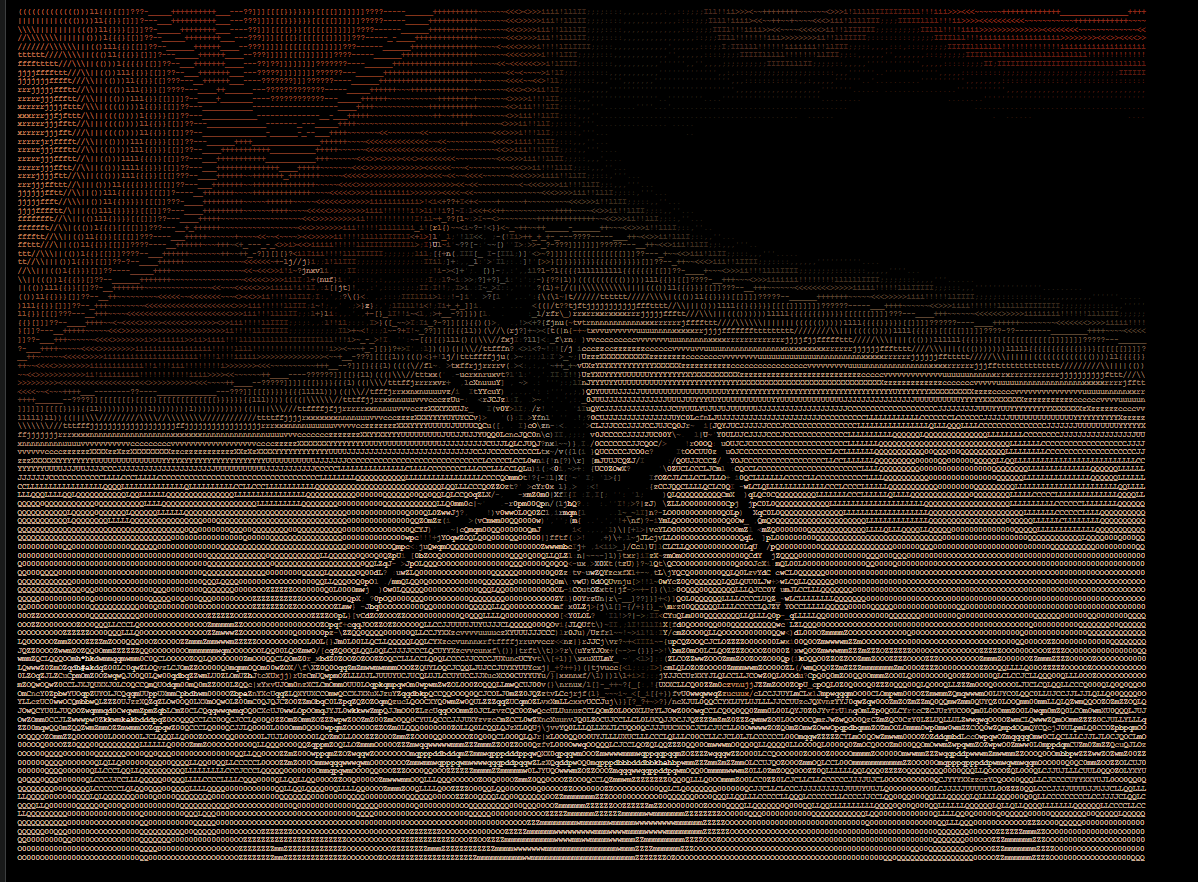
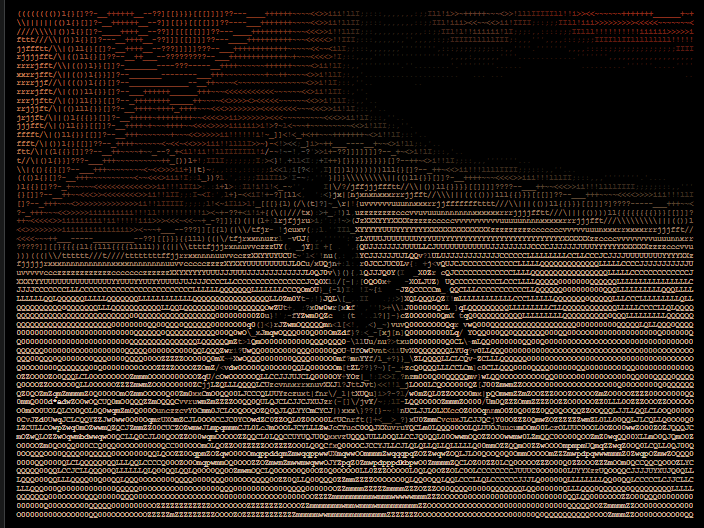
Real outputs generated with the yourascii engine at various resolutions and color modes.